Skip to content
Product tour

See it in action.

Four surfaces from a populated demo tenant — same product, fictional data. If you want a guided 30-minute walkthrough on your own scanner data, the demo line at the bottom takes you there.

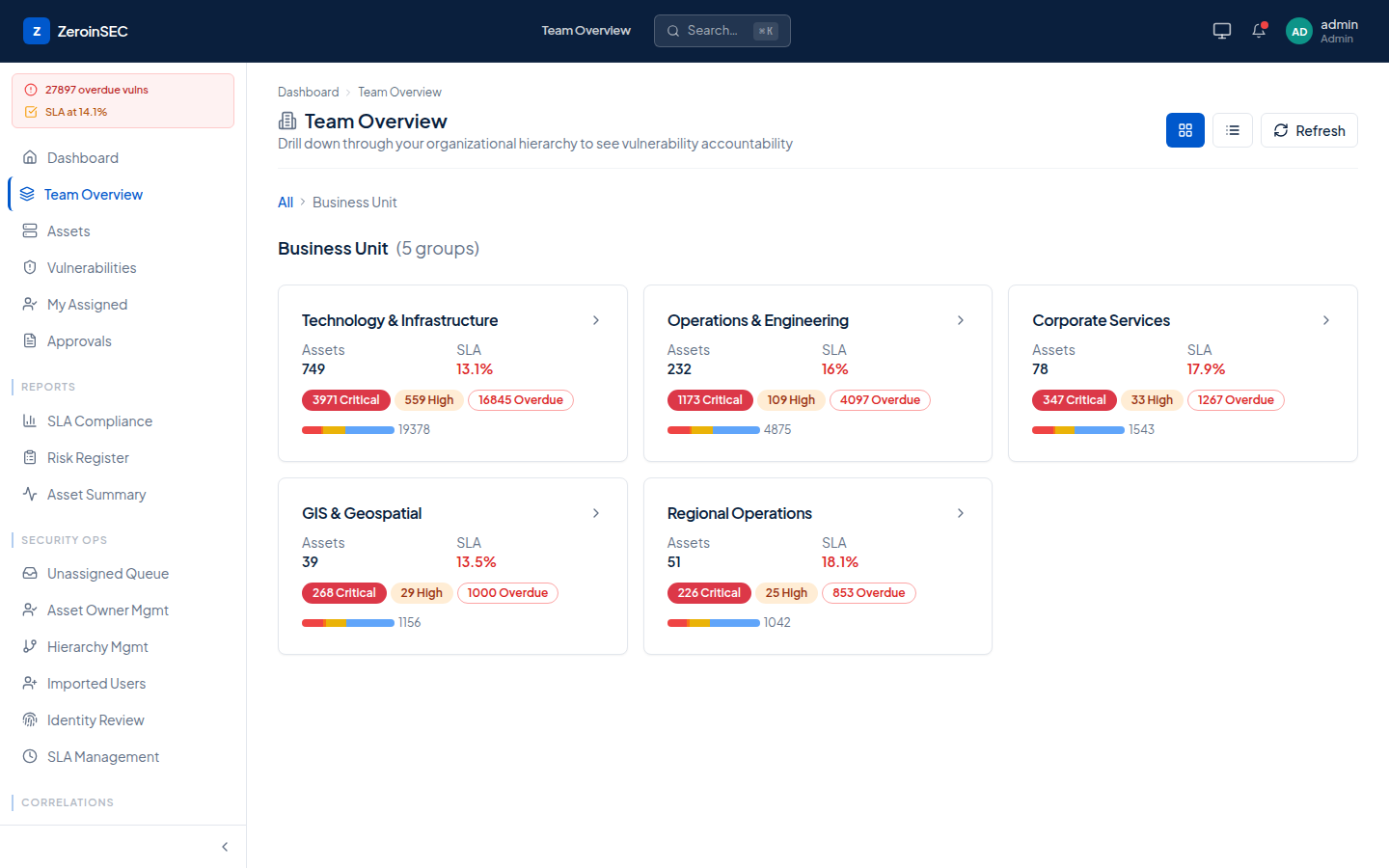
One number for the board.
01 · Team overview

One number for the board.

Hierarchical rollup by business unit — assets, SLA attainment, critical/high/overdue counts. Drill from CISO view down to a single owner without exporting a spreadsheet. The view a board pack starts from.
Every finding has a clock.
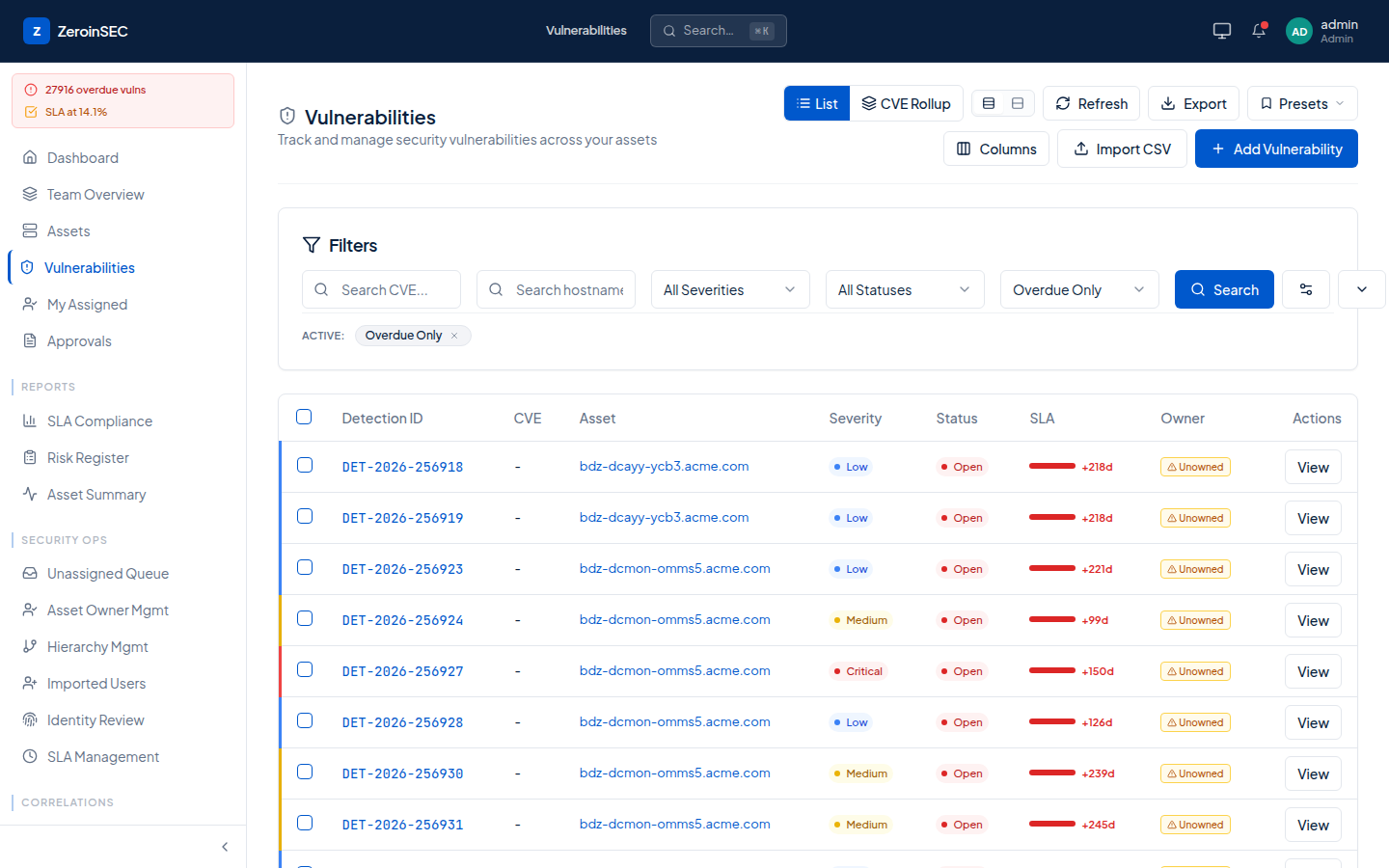
02 · Vulnerabilities · SLA pressure

Every finding has a clock.

Filter, search, sort across 28k overdue rows without exporting a CSV. Severity, status, SLA-remaining, owner — and an Unowned chip that links straight to the assignment queue.

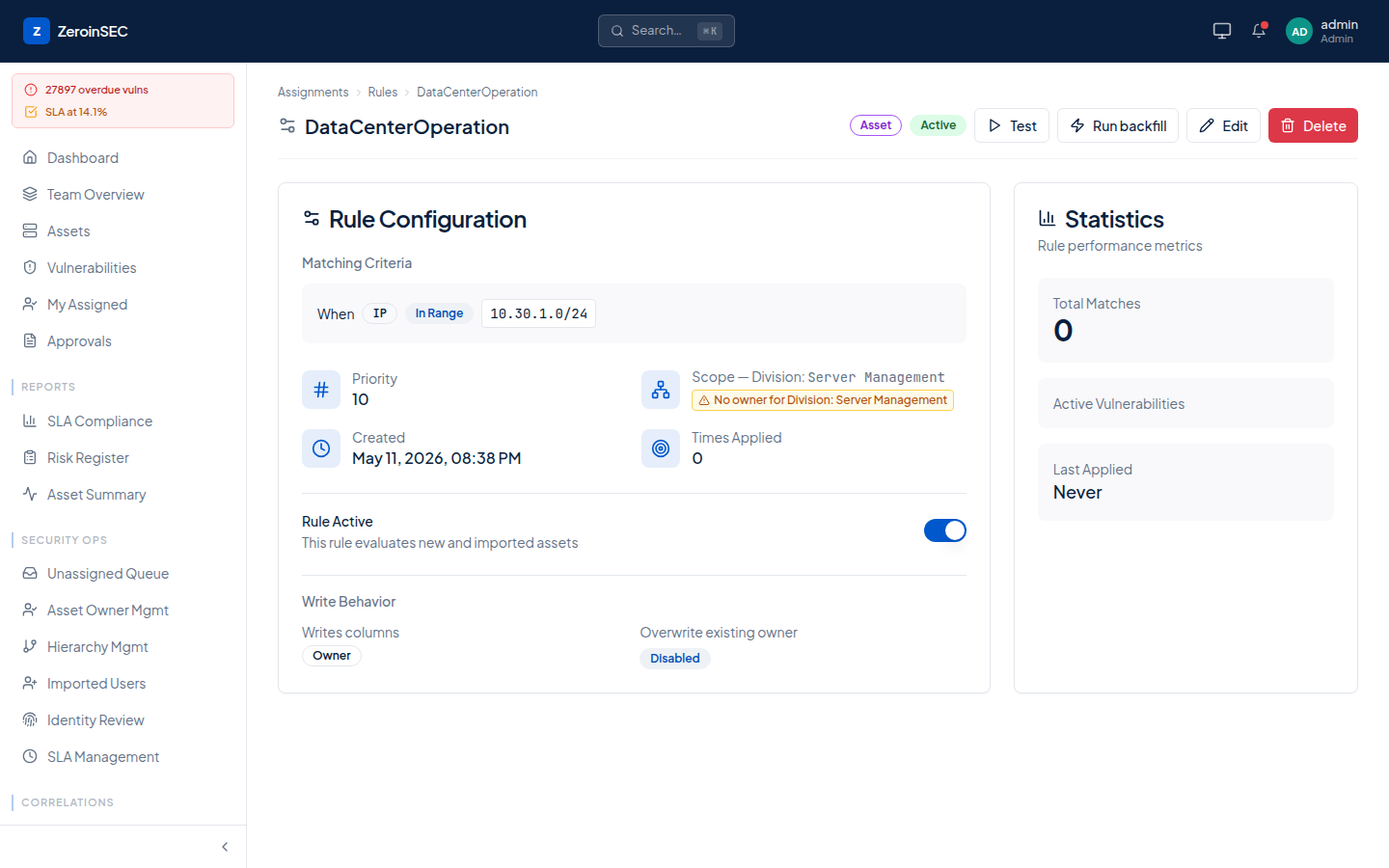
One rule, audited end to end.
03 · Assignment rule

One rule, audited end to end.

A rule is a typed match (IP, severity, hierarchy, hostname pattern) bound to a target, a priority, and a scope. Every match is logged with timestamp and times-applied — kill-switchable per tenant, with a write-behavior toggle for overwrites.

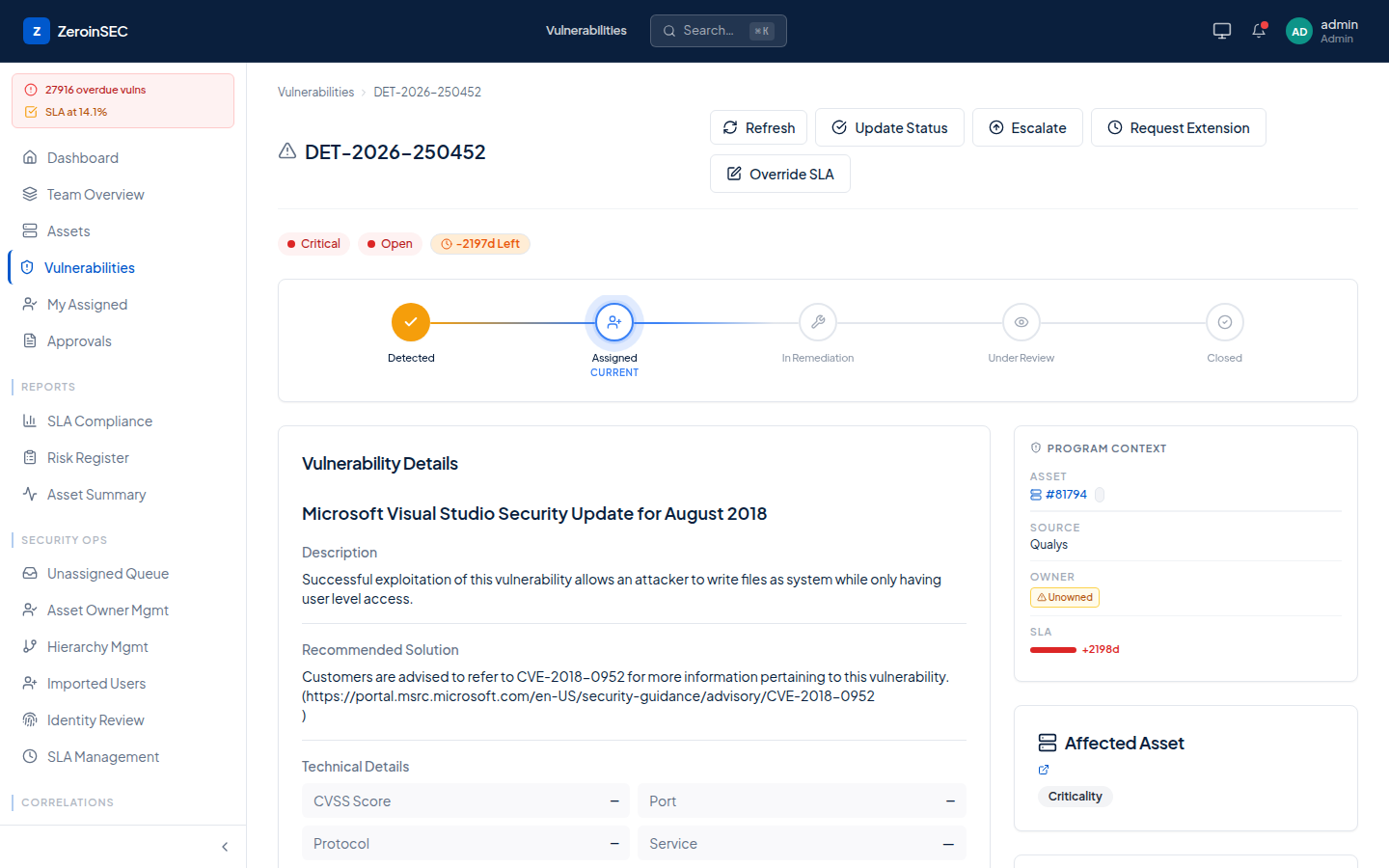
Detected → Assigned → Remediated → Closed.
04 · One vulnerability · its journey

Detected → Assigned → Remediated → Closed.

Each finding carries its own audit trail: who owns it, when, why, with predicted-fix and breach-risk surfaced inline. Escalation, SLA override, and risk-acceptance all gated behind approvals.

30-minute walkthrough

Want to see your own data routed? Connect a scanner in the demo and we will walk through what changes.

Get a demo →